MunchFile for Mac
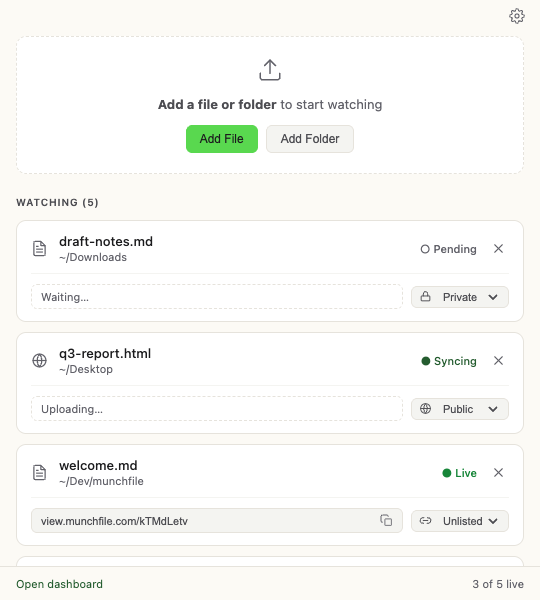
Point MunchFile at a file. It munches the file and spits out a live URL — no terminal. It keeps your files live and updates itself.
Download for MacSigned & notarized by Apple
After you install the app
- 01
Open the download
Open the.dmgand drag MunchFile to your Applications folder. - 02
Launch it
MunchFile lives in your menu bar — look for the Munchira icon in the top-right corner of your screen. - 03
Sign in
Click the menu bar icon → Sign in. Enter your email and click the link we send you. No password.
Prefer the command line?
MunchFile also ships as a CLI for scripts, servers, and AI agents — on macOS, Linux, and Windows.
macOS — Homebrew
brew install ebuntario/munchfile/munchfileAny OS — npm (Node 20+)
npm install -g munchfileFull walkthrough in the CLI getting-started guide →